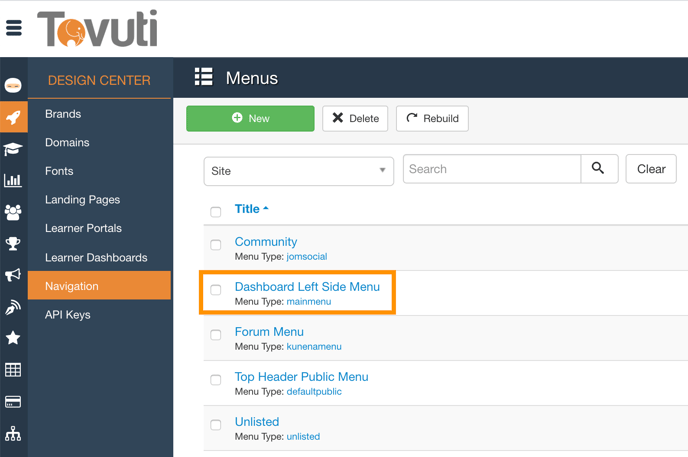
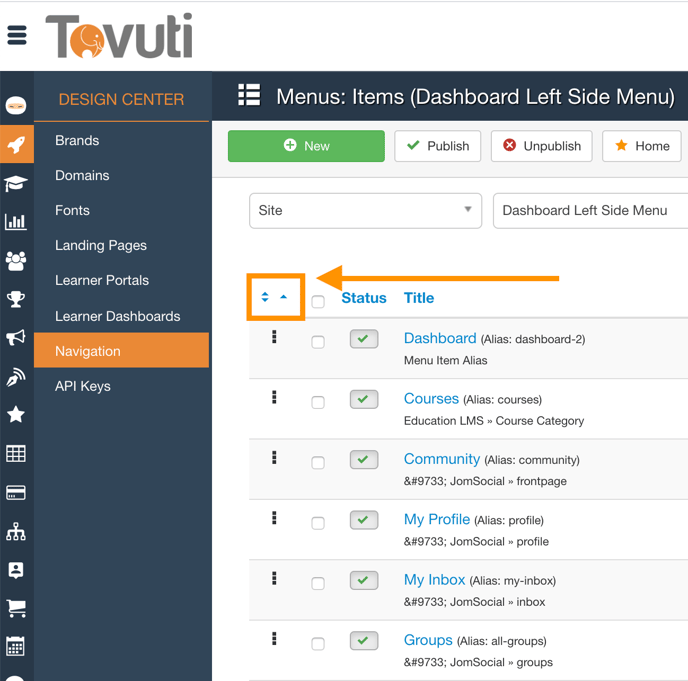
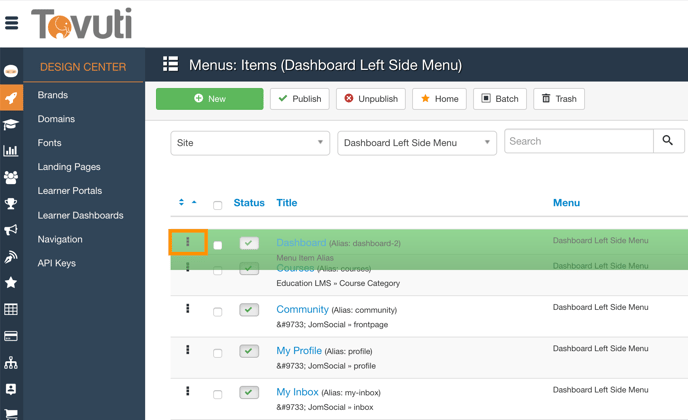
Reorder Navigation Items Go to the Design Center > click Navigation > click Dashboard Left Side Menu Click the Recorder Icon Click the "3 dots", then drag and drop to reorder the items. Your reordering will automatically save the new order.
![5df14acf1ff5b2cf424b8fee_tovuti-original.svg]](https://tovuti-4789974.hs-sites.com/hubfs/5df14acf1ff5b2cf424b8fee_tovuti-original.svg)