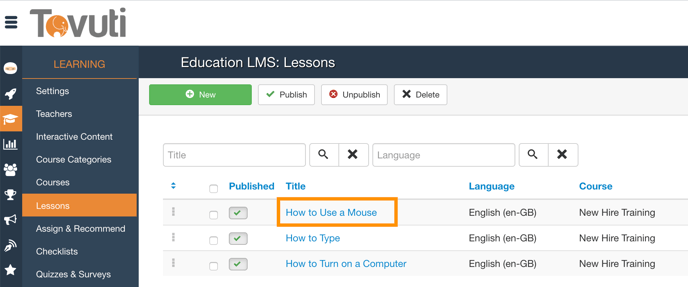
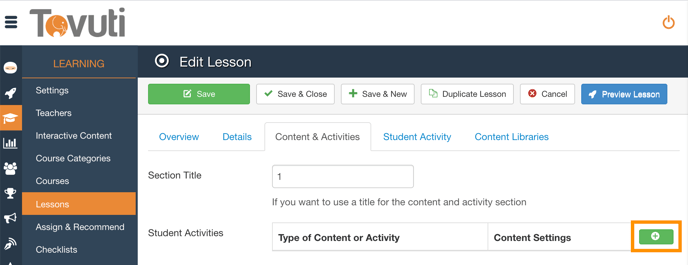
Add a PDF to a Lesson Go to Learning > click Lessons > select a Lesson or click New Go to the Content and Activities Tab and click the Green + button Select PDF Document from the Type Dropdown Click Select to upload the PDF Document Click Save


![5df14acf1ff5b2cf424b8fee_tovuti-original.svg]](https://tovuti-4789974.hs-sites.com/hubfs/5df14acf1ff5b2cf424b8fee_tovuti-original.svg)