
- Help Center
- Education
- Lessons
Add a Video to a Lesson
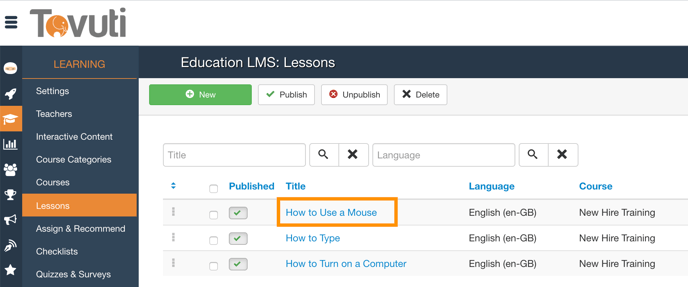
- Go to Learning > click Lessons > select a Lesson or click New
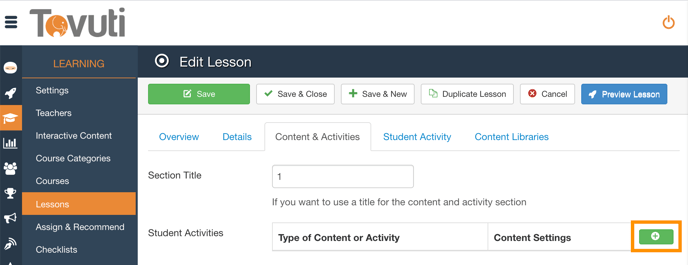
- Go to the Content and Activities Tab and click the Green + button
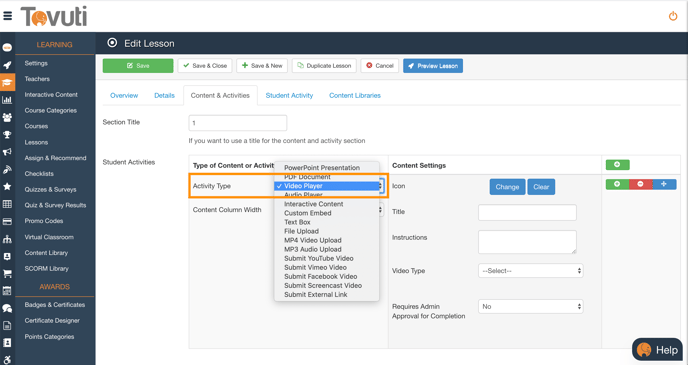
- Select Video Player from the Activity Type dropdown
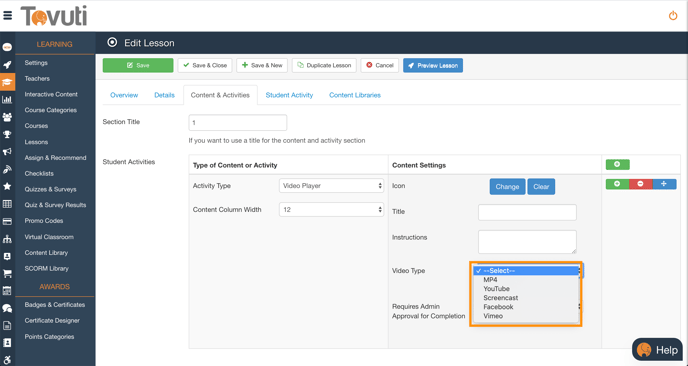
- Click Select to paste a link or upload a Video (supports Mp4, Youtube, Screencast, Facebook and Vimeo)
- Click Save
Note: MP4 videos have a 500MB upload limit in Tovuti.